Archive | Shopping

Tags: , ,

The Buyer’s Guide to Netbooks

Posted on 09 February 2010 by stormwild

SMART SPENDER>BUYER’S GUIDE

The Buyer’s Guide to Netbooks

They’re the hottest segment in laptops, and for good reason – they’re lightweight, good enough for simple tasks, and cheap

By Carlos Gonzales

Netbooks – those pint-size and lightweight mini-laptops – are selling like hotcakes. Tech research firm IDC says 11 million units were sold in 2008, from a mere 182,000 the year before. It’s certainly phenomenal. Suddenly, owning a laptop has been within easy reach by most of the middle class. Retailing between P15,000 and P25,000, the lure has definitely been the price but the small size and light weight have also attracted those looking for a second laptop.

There are of course trade-offs with the form factor and price – basic specs, limited storage, and the Linux operating system, among others. They’re called netbooks because they’re good enough for basic Internet use and office apps, and not for heavy-duty gaming or multimedia programs. So how do you make sure you don’t buy a lemon? Here are five factors to look at:

1. Form Factor

One major selling point for netbooks is the form factor, i.e. the size, and related to it the weight and screen size. Asus popularized this category back in 2007 with its Eee PC, which measured just 8.9 x 6.5 inches (versus the full-sized 15 x 11 inch-laptops) and weighed around 2 pounds (versus 12 pounds of bigger notebooks). The latest crop of netbooks is slightly larger with more comfortable keyboards (around 92% the size of full keyboards), although still lightweight. Screen sizes have also increased from the early 7-inch displays to as big as 10 inches.

Since disparities in weight are minimal across competing models, you have to decide mainly on size. And the best gauge is to try them out at the store, because that’s really the only way for you to know if you’re comfortable typing keys and staring at the display. If you’re buying a second notebook for occasional, then you can go for the smallest. Otherwise, it makes more sense to go for the larger models.

2. Performance

Intel-based netbooks come either with a Celeron-M or Atom processor. The newer Atom uses the latest 945 chipset, and benchmarks have shown it to run faster. So look for Atom-powered netbooks. Speed and performance are also affected by the amount of memory, so the bigger it is, the better. Go for at least 1GB RAM.

3. Storage

The early generation netbooks came with fixed solid-state drives (SSD), which allowed for faster startup, lighter weight, and speedier overall performance. However, you only get around 20GB of storage space compared to hard-disk drives (HHD), where 120GB for netbooks are typical. So if you want a slight edge in speed, go for SSD, but if you’re buying a netbook as your main laptop, go for HDD.

4. Battery Life

Nothing can be more frustrating when it comes to laptop use than running out of battery while rushing against a deadline – and there’s no power outlet. So if you’re on the move a lot, battery life is crucial. Some netbooks can go as long as five to six hours, while others can only manage a measly two hours. Most netbooks come with a 2-cell battery, but you’re better off with a 3-cell or even 6-cell battery.

5. Extras

To keep the price down, many netbooks are bundled with the Linux operating system or a trial version of Windows XP. Buying a bundled licensed Windows XP will set you back around P5,000. But it’s worth it. However, if you have technical chops—or know someone who does—you can settle with Linux and download Linux applications. You also would want extras like Wi-Fi support, USB ports, memory card slot, webcam, and jacks for a microphone and headphone.

[sidebar]

Netbooks: What to Buy

There are a growing number of netbook models out there, both foreign brands and local OEM (original equipment manufacturer) rebranded models. A Consumer Reports product comparison rated the Asus Eee PC and MSI Wind high, which makes them our “Best Value for Money” picks.

Brand Screen Processor

(GHz)

RAM (GB) Storage

(GB)

Battery

(cell)

OS Price
Acer Aspire One 8.9 in

1024×600

WSVGA

Atom 1.6 1 8 SSD or

160 HDD

6 Linpus Linux Lite or Windows XP Home P12,000 to P24,000
ASUS Eee PC 900 8.9 in

1024×600

WSVGA

Celeron-M 1 12 or 20 SSD 4 Linux or Windows XP Home P15,000
ASUS Eee PC 1000

BEST VALUE FOR MONEY!

10 in

1024×600

WSVGA

Atom 1.6 1 80 or 160 HDD 6 Windows XP Home P24,000 to P30,000
Blue H1 Mobile PC 7 in

800×480 WXGA

VIA Esther 1.0 1 40 or 60 HDD 4 Linux or Windows XP Home P10,000 to P13,000
MSI Wind MegaBook U100x

BEST VALUE FOR MONEY!

10 in

1024×600

WSVGA

Atom 1.6 1 or 2 80 or 160 HDD 3 or 6 Windows XP P16,000 to P20,000
Neo eXplore  X2 Classmate PC 7 in

800×480 WXGA

Celeron-M 0.5 40 HDD 6 Windows XP Home P10,000 to P11,000
Neo ViVid v1100 MiniNote 8.9 in

1024×600

WSVGA

Atom 1.6 1 or 1.50 120 or 160 HD 6 Windows XP Home P18,800 to P21,000

Wed Administrator’s note: Please take note that the prices may have changed since last year(2009) however the guide remains useful as a reference.

Comments (1)

Tags:

How to bluff luxury

Posted on 29 November 2006 by moneysense

By Gela Isidro

Some people believe that only rich people can afford to enjoy the richness of life. After all, most good things come with a hefty price tag, from fine cuisine to grand vacation trips to some remote island in the Caribbean. There are actually a number of ways to enjoy the high life without leaving you and your budget in the dumps. All it takes is a bit of ingenuity.

Vintage style Attention fashionistas! The next best thing to owning a brand-new and unquestionably expensive designer item is snagging an original in mint condition from an ukay-ukay, which has been sprouting up all over the metropolis in response to the people’s clamor for cheap, quality goods. These second-hand shops have been regarded as a true-blue shopping mecca, carrying everything from clothes and shoes to bags and accessories and, yes, even appliances. So buff up those skinny arms and be prepared to dig your way to piles and piles of second-hand clothes. Who knows? You might just snap up that authentic Prada bag you’ve been drooling over for a quarter of the original cost.

The mailing list
Sign up for the mailing list of your favorite brand. Most manufacturing companies show their appreciation to their loyal clients through free product samples, discount vouchers, and limited special offers. Some may even get in touch with you to give their latest releases a test drive.

The almighty coupon Dining out can be a very expensive experience, especially if you lean towards more exotic tastes. However, some restaurants actually offer discount coupons as a marketing strategy to have a steady flow of customers. Instead of crumpling these sheets of paper, arrange them in an organizer so that you can avail of the discount when the urge to eat something different hits you.

Stock it up Unless it’s something perishable, stock up on your favorite items when they go on sale. While you may find no use for that expensive bottle of perfume or bottled olives at the moment, it still beats going out and buying it on full price.

The perfect plan Try to keep track of the best time to go shopping. Check the dailies as to when malls usually go on sale. One of the best times to go out and shop is after the holidays, as most stores have a clearance sale on items they overstocked during the holidays. A number of shopping centers also have promos linked to an upcoming. Never buy during the holidays because prices usually skyrocket during this period.

Go for charity If you are an art lover on a budget, try to scour for valuable pieces at seemingly weird art stores and junk shops. Most of these establishments get their wares from people who either have no more room in their houses for the pieces or are moving someplace else. You can never tell what you can get for a steal. If you’re on the lookout for something new and edgy (a.k.a. nouveau art), try visiting shows of up and coming artists. Their style may just address your artistic taste.

Mix and match Who says that only the rich can have smashing homes? You can too, with just a little creativity. Instead of splurging on a pricey Victorian-period chaise lounge, allocate your budget on throws, slips and quilt covers that exude a similar vibe and drape it over your well-worn couch. You can also color to jazz up a dreary room.

Comments (0)

Tags:

The 5 Most Important Factors When Shopping for a Flat Screen TV

Posted on 25 November 2006 by moneysense

By Carlos Gonzales

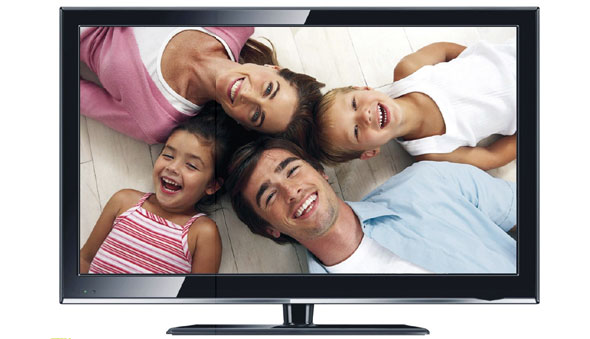
Buying a flat panel TV can be a bewildering experience. Salesmen will pitch all sorts of acronyms and numbers that can give anyone a splitting migraine. And all you really wanted was a nice big TV. Here’s all you need to know:

1. Screen size
Obviously, screen size is the first consideration. Vince Sales, Editor in Chief of T3 magazine, points out, “Size is the whole point: The bigger the better, unless you have a tiny home.” How big do you want it? Flat screens come in two most popular types: liquid crystal diode (LCD) and plasma. If you want a mid-sized screen, LCDs between 30 to 37 inches are a good bet. For bigger sizes, 42 to 63 inches, plasmas are certainly more affordable.

The room where you’ll place the set will largely dictate your choice of screen size. For mid-sized LCDs, you need to sit back six to eight feet away, making it ideal for your bedroom, where you can mount in on a wall. The bigger plasmas require a distance of 10 to 16 feet, good for your living room or home theater.

By the way, flat screens nowadays all support the wide-screen format, with a 16:9 aspect ratio used by filmmakers, giving you that movie theater-like experience. This is contrast to the narrow-screen format (4:3 aspect ratio) common to analog TVs.

2. Image quality
Next, how much quality do you want? Resolution, or picture detail, is a major consideration. The more lines and pixels are, the better. Standard-definition TVs have a resolution of 640×480 or 720×480 pixels, used for broadcast or cable TV programs. Digital content, on the other hand, is delivered in one of four formats: 480i, 480p, 720p, and 1080i. The i stands for interlace and p for progressive, which describes how the screen draws images (suffice it to say progressive makes for smoother viewing).

The 480i format is the same as that used for standard analog TV. Both the 480i and 480p formats are used for DVDs. For this format, you need at least enhanced-definition TV, or EDTV, which can display HDTV signals but is limited to a resolution of 852×480 pixels.

The 720p and 1080i formats, on the other hand, are used by satellite, cable, and over-the-air-broadcast high-definition content providers, as well as the latest Blu-ray and HD-DVD players. That’s where you need high-definition TVs, or HDTVs, which display 1,024×768 pixels or 1,280×720 pixels for the 720p format, and 1,920×1,080 pixels for the 1080i format.

There’s a noticeable difference from 720p to 1080i, explains Sales, but 1,280×720 pixels should suffice, and it will downscale a 1080i image well enough. He adds, “The differences are very subtle between HD resolutions. From a 480p DVD though, the difference is dramatic.”

Vince notes that a 1024×768 TV will downscale a 720p image to something like 80% high definition: “You can actually spot the difference. We did a side by side comparison here in the office. So for now 1280×720 pixels is the standard, and the consensus is that’s all you’ll ever need. But this may change.” For now, go for a high-def set that supports at least the 720p format.

It will be a few years down the road before we get to watch high-definition shows, although the government has already set a deadline and some television networks are making moves towards that direction. In the meantime, you want a set that does a decent job at image processing. “Good image processing will make standard definition more bearable. Poor image processing makes watching SD on an HDTV a nightmare,” Vince says.

The second, though less crucial, factor affecting image quality is contrast ratio. The higher the contrast ratio is, the better. LCDs have a contrast ratio from about 600:1 to more than 1000:1. Plasmas range from 1000:1 to 4000:1 or better.

3. Connectivity
What will plug to your TV? Go for the input jacks that result into the highest video quality. Most likely, you’ll be watching cable TV, so look for a jack for S-Video, which is also where you plug your game console. You’ll probably also use a progressive-scan DVD player, so look for progressive component or better yet broadband component inputs. If you’re plugging in your PC, look for an RGB connection. And for HDTV receivers, you need FireWire, DVI-D with HDCP, or HDMI.

Forget the acronyms; you really don’t have to know. Well, except maybe HDMI, since it’s expected to replace DVI altogether. It stands for High Definition Multimedia Interface, which carries audio and video on the same cable. “A year ago, HDMI connections were rare, with everyone saying that analog connections were good enough, but HDMI is the standard now,” says Vince.

4. Audio
If you’re setting up a home theater, your TV’s audio system may not be too important. However, if it will be a stand-alone unit in your room, it becomes a major consideration (more likely, the set comes with a stereo pair of speakers and a subwoofer). Look for MTS (multi-channel television sound) stereo reception and stereo speakers, which provide much better sound than a single mono speaker. Look for surround sound, which adds depth and more realistic sound without adding additional speakers. Look for logos of SRS, Cyclone Sub-Bass System, Spatializer, Dolby Pro Logic, and the like, which are audio-enhancing technologies.

5. Extras
Everything else really is gravy. You may want features such as picture-in-picture (PIP), which lets you watch a second channel in a little window. Look for a dual-tuner PIP, which has two TV tuners built-in that can display two channels on their own. Some sets have a memory stick reader that lets you view photos taken from your digital camera.

In the end, your choice of what to buy will be largely dictated by your budget. And it doesn’t end there. “HD is a black hole for money,” warns Vince. “Consider that down the road, you’ll probably buy a HD-DVD or a Blu-Ray player, a PS3 or an Xbox 360, and an HDMI-capable A/V receiver to make the most of your HDTV.” So buy wisely.

Comments (0)

Advertise Here
Advertise Here